
I love this app! It’s intuitive, fast, and makes managing contacts a breeze. Automatic sync, grouping, and quick search make it really practical. Highly recommended for anyone wanting an efficient, user-friendly contacts app.
Starrise works directly on the Outlook and Exchange contacts synced to your iPhone. No import, no extra account.
1/5
AppStore Rating
OUTLOOK CONTACTS ON IPHONE
Why Outlook Users Choose Starrise
Notes
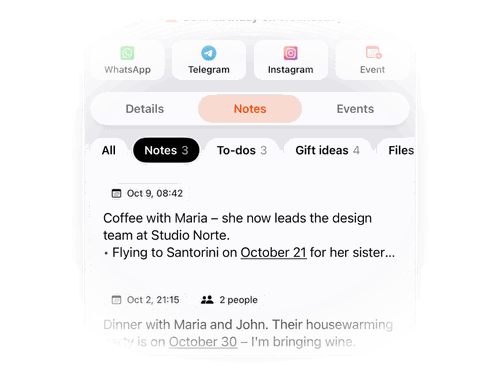
Add dated notes to colleagues, clients and partners from your Outlook address book: what you agreed, what’s next, who they report to.
Birthday Reminders
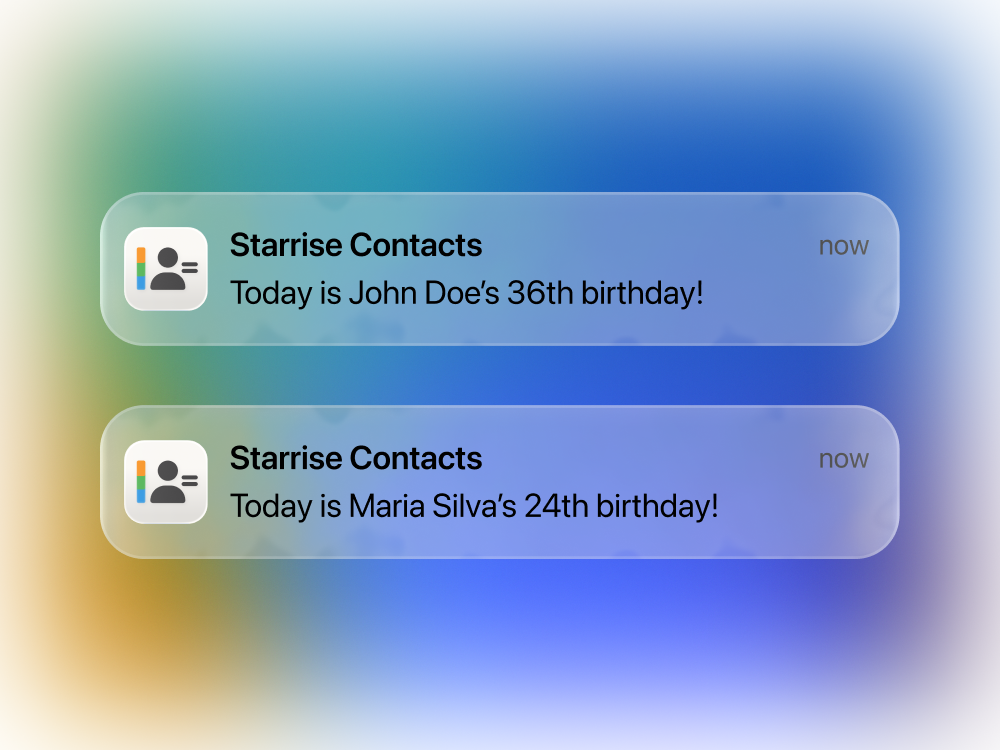
Remember birthdays and work anniversaries of the people you work with. Starrise reminds you at the time you choose.
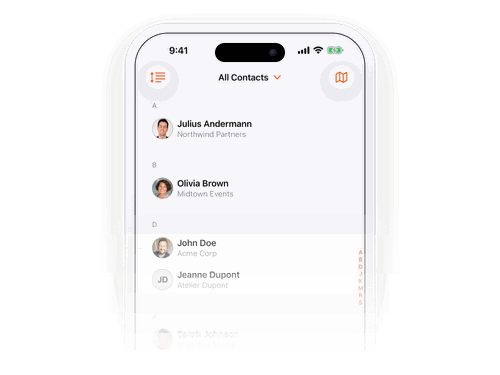
Custom Sorting
Sort by last opened, last created or city to find the client you just met, or everyone you work with in one location.
Get Starrise Contacts on the AppStore
Use Starrise on the Outlook contacts already on your iPhone. Free to download, no account needed.
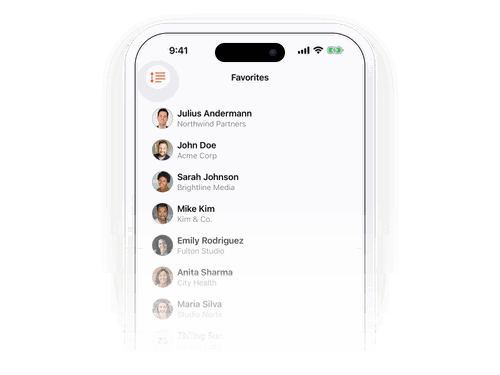
Archive & Favorite
People change roles and offices. Archive old desk numbers and emails, mark the current one as favorite, and always reach them at the right place.
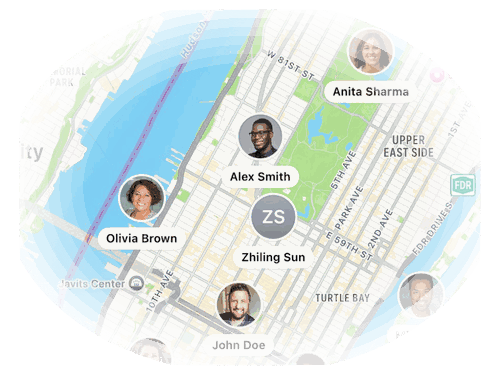
Map
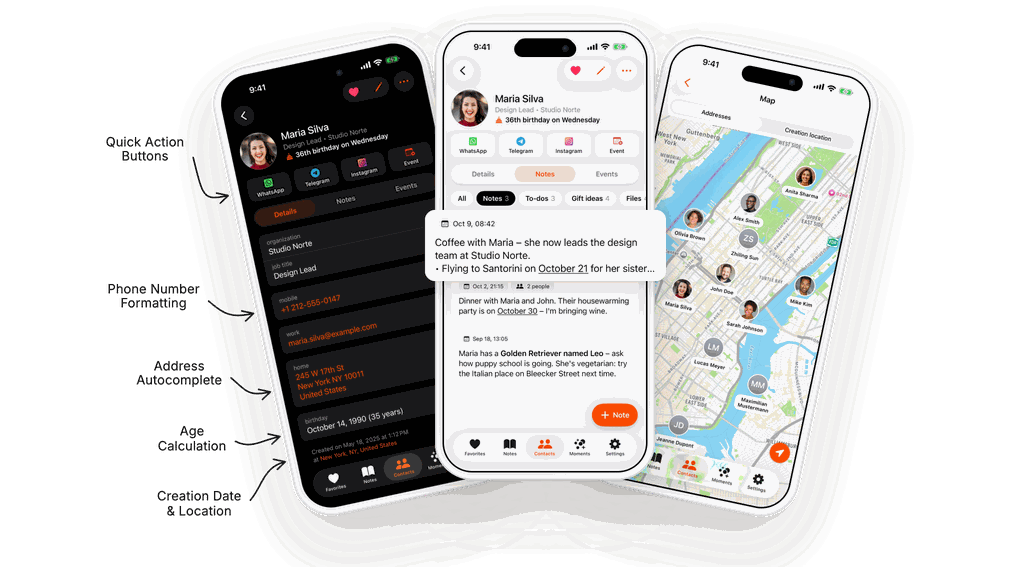
See clients and partners from your Outlook contacts on a map, and plan who to visit when you travel.
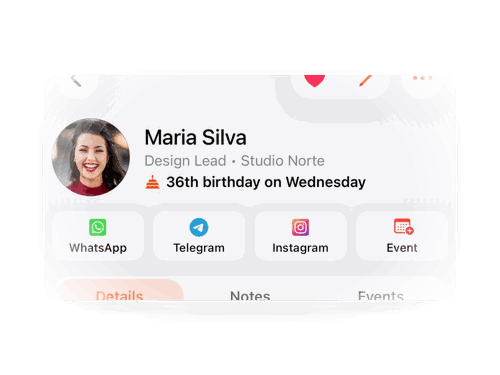
Quick Action Buttons
Call, email or message with one tap, or create a calendar event for the next meeting straight from the contact.
HOW IT WORKS WITH OUTLOOK
Outlook and Exchange Contacts, Ready on Your iPhone
When you add an Outlook.com or Exchange account to your iPhone and turn on Contacts, those contacts join the iPhone address book. Starrise Contacts works directly on it, so your work contacts get dated notes, reminders, lists and a map, and Outlook keeps syncing them as before.
- Sync Outlook contacts: add your Outlook or Exchange account in the iPhone Settings and turn on Contacts. Step by step: how to sync Outlook contacts to iPhone.
- Open Starrise: your Outlook contacts appear next to iCloud and Google ones. Nothing to import.
- Keep work and private apart: sort people into lists such as “Clients” or “Team”, and archive details you no longer need.
- At your desk: use the native Mac app with keyboard shortcuts, and keep notes in step through your own iCloud with Pro.
Your notes are yours: they stay on your device and in your own iCloud, not in your company’s Exchange account.
Related
YOUR COMPLETE CONTACTS APP
Everything Your Work Contacts Need…
STARRISE CONTACTS PRO
Go Pro: Follow Up With Every Client
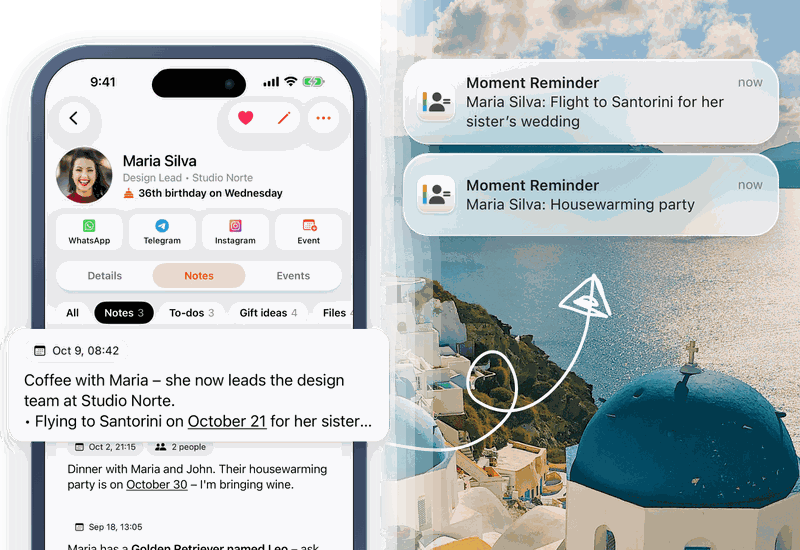
Moments from Notes
Your personal CRM works for you even when you're not looking. Notes quietly recognize upcoming moments like birthdays, meetups, and plans you've mentioned. When the day arrives, your iPhone reminds you with a gentle notification, so you follow up at exactly the right moment. Automatic relationship management, running in the background.
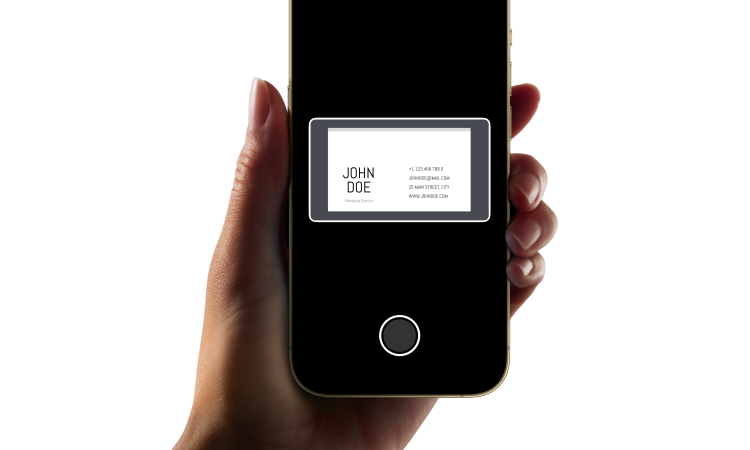
Business Card Scanner
Grow your personal CRM effortlessly. The Business Card Scanner captures details with remarkable accuracy, turning each card into a beautifully structured contact. Simply point your camera, tap to confirm, and the new relationship is ready to manage.
AI Notes Summary
Catch up on any relationship in seconds. AI Note Summary turns your long CRM notes into clear, concise summaries — highlighting what matters most about each contact. It keeps the context, removes the noise, and makes every conversation easier to pick up.
iCloud Sync
Your personal CRM stays in sync everywhere. Contacts, notes, gift ideas, and files are perfectly up to date across iPhone, iPad, and Mac. Everything you add or change is available instantly on all your devices. Seamless CRM continuity, wherever you are.
Voice Add
Just say it. Starrise Contacts takes care of the rest. Add contacts using your voice. Simply speak details like a name or phone number, and the app transcribes your words and places everything in the right fields automatically. No typing, no corrections. It’s a faster, more natural way to capture contact details the moment you get them.
Keep in Touch Reminders
Decide how often you want to catch up with someone: every week, every month, twice a year, or any rhythm you like. Starrise counts from the last time you were in touch and reminds you when it’s time.
REVIEWS
Our users speak for Starrise Contacts
Super intuitive contacts app that immediately convinces with easy handling, clear design, and practical functions!
Starrise Contacts has replaced the iPhone system app for me. Very intuitive with many customization options. I’m looking forward to future updates!
Started using the notes and birthday features and it’s super convenient!
The app has completely changed how I manage my contacts. Very clear and intuitive to use. The notes feature is perfect for keeping track of everything. In addition, you get quick responses from support and the app is constantly being further developed. Absolutely recommended!
I love tracking my contacts and there are no better options out there. This is a lot better also than the more expensive options. Also great customer support as they add requested features quickly.
Really cool to use, super intuitive and practical!
I can absolutely recommend the Contacts app! It is very clearly designed and I have quick access to important information and notes about friends and acquaintances.
Very nice app. The ability to define direct communication methods for individual contacts helps a lot.
This app is perfect. The UI is very clean, pretty and full of function I need. Very pleasure if the development have add syncecontact on app. Redcomment to all people need new app for management contacts
FAQ
Frequently Asked Questions
Yes. Starrise Contacts works directly on the contacts on your iPhone, including Outlook.com and Exchange accounts. Add the account in the iPhone Settings, turn on Contacts, and your contacts appear in Starrise.
No. Starrise notes, gift ideas and reminders stay on your device, and with Pro they sync through your own iCloud. Changes to contact details such as numbers go back to the account the contact lives in.
Yes. All data stays securely on your device and within your accounts. We do not upload or share any of your contact information as we strongly believe that these only belong to you. If you turn on iCloud Sync, your notes and other app data sync through your own private iCloud account, which we can’t access.
No extra steps needed. The app works directly with your iPhone contacts and updates automatically. Ensure you have given full permission in the settings app to access and edit contacts on your device.
Yes! You can choose your favorite apps (Call, WhatsApp, Telegram, Directions, Mail, etc.) for one-tap actions. Set the default in settings and long-press a quick action button in the contact profile to customize for a specific contact.
Yes, you can view and edit your contacts without internet. If you are using iCloud, GMail or Outlook as an account, the changes will sync once you are back online.
Starrise Contacts is free to download on the App Store, and the core features are free to use without a subscription. Advanced features for power users are available via an optional subscription. The core contact management functionality will continue to receive updates and new features over time.
Yes. Starrise Contacts runs on iPhone, iPad and Mac, and it’s free on all of them. With Starrise Contacts Pro, iCloud Sync keeps your notes, gift ideas, to-dos, Moments, files and Keep in Touch reminders up to date on every device, through your own private iCloud account. Your contacts themselves keep syncing the way they always have, through iCloud, Google or whichever account they live in.
Yes. Starrise Contacts works on iPhone and iPad, and as a native Mac app with a three-column layout, keyboard shortcuts and ⌘F search (macOS 14 Sonoma or later). It’s free on all your devices, and one Pro subscription unlocks Pro everywhere. More about Starrise Contacts for Mac.
We’d love to hear from you! You can send feedback directly through the app’s settings, or email us directly at support@coinlex.com.
PRICING
Our Transparent Pricing
Standard
Free
on the App Store
- All Basic Features, excl. Pro
- iPhone, iPad & Mac: one app, every device
- No subscription needed
- Upgrade to Pro anytime
Pro
$0.99
per month
or $5.99 per year
- All Basic Features
- Keep in Touch Reminders
- iCloud Sync
- Moments from Notes
- To-dos with Reminders
- AI Note Summary
- Name Days
- Restore Deleted Contacts
- Business Card Scanner
- Voice Add
One Pro subscription unlocks Pro on iPhone, iPad and Mac. Prices in the US App Store.
